
Room paint visualizer appFind your color.
Before you paint.
Try paint colors on your own walls. Take a room photo, tap the wall and compare colors while the room’s light and texture stay real.


For iPhone, iPad & Android
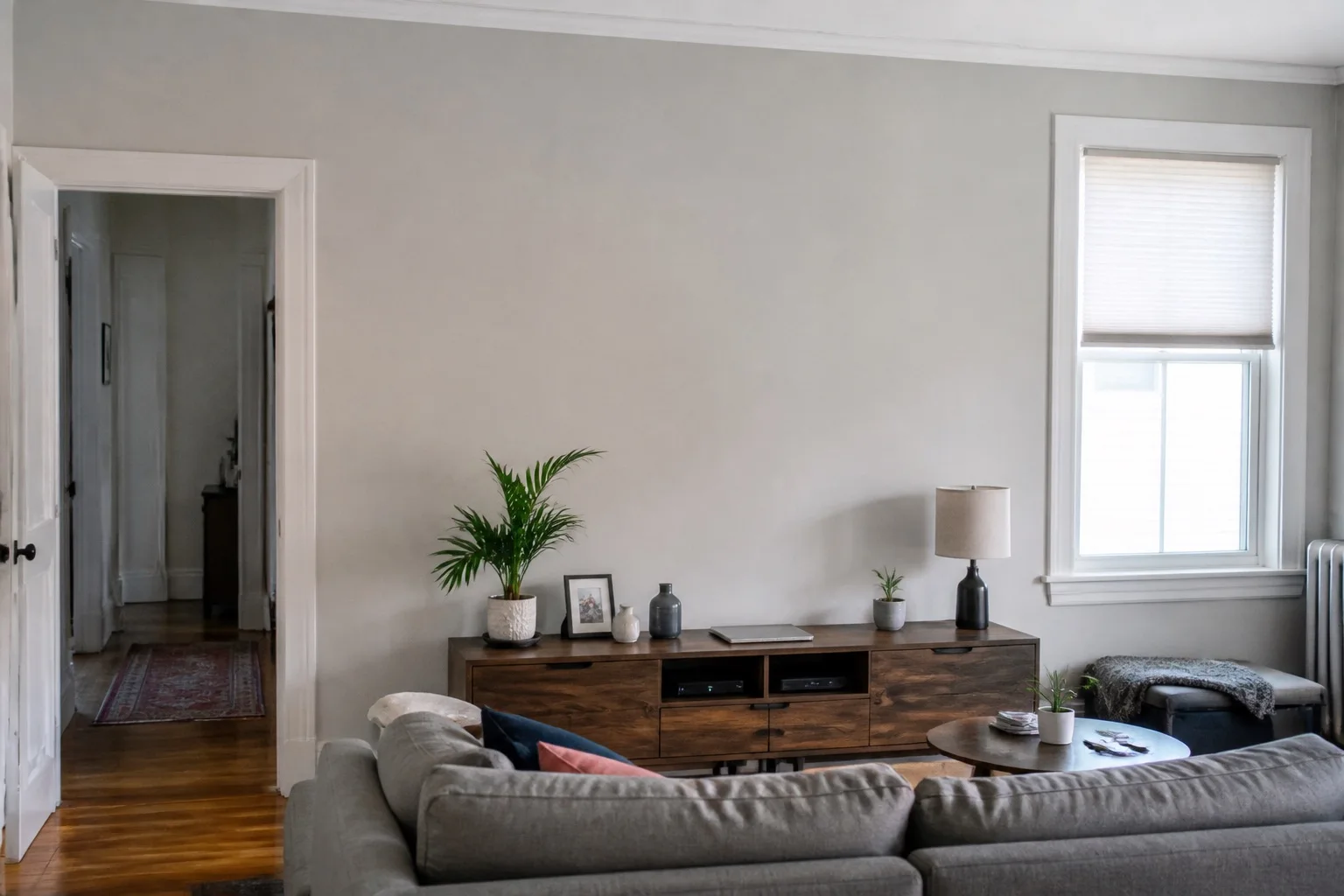
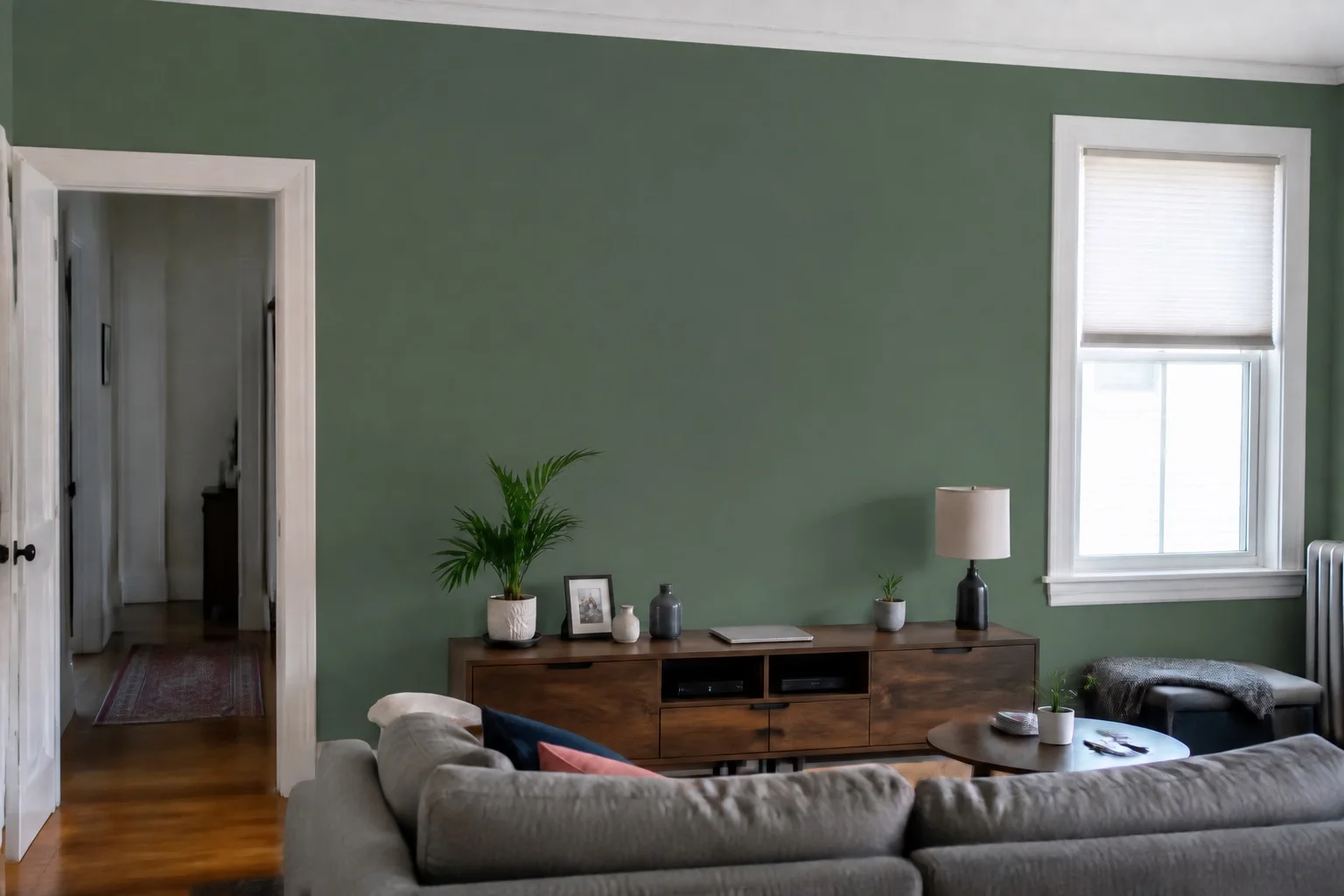
Your photo. Your furniture.
Room light & texture preserved.
Photo processing on your device.
A new look.
Same familiar room.
A swatch can only tell you so much. PaintTry is a paint visualizer that puts a color on your wall, next to the things you already love.
Start with your space
Take a photo or choose one from your library. Keep your sofa, floors and the room’s lighting in the picture.
Give your wall a new color
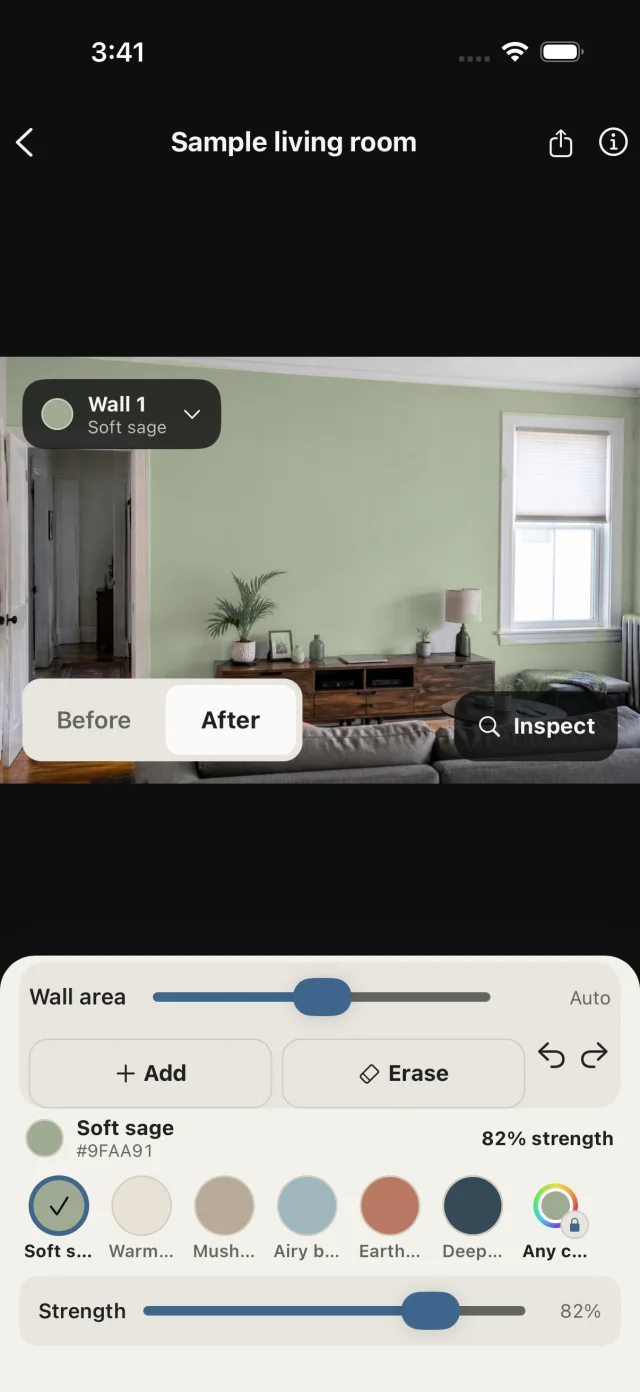
Tap to select a wall, explore the palette, and adjust the paint strength. Use Add and Erase to tidy tricky edges.
Find the one worth sampling
Compare with the original, save room projects and export your ideas. Then test a real paint sample before you commit.
You’re in control
of the details.
Better around the edges
Automatic wall selection gives you a starting point. Brush corrections let you refine coverage around windows, furniture and trim.
One wall or several
Tap another wall to add it and give each one its own color. Try an accent wall against the rest of the room before you buy a sample pot.
Keep your ideas together
Return to saved room projects and share a preview when it’s time to decide together.
A closer look at privacy
Wall selection and recoloring run on your device. Your room photos aren’t uploaded for image processing. Advertising, analytics and purchase services have separate data practices in our privacy policy.
Before you pick
up a paintbrush.
Can I preview paint in my own room photo?
Yes. Take or import a room photo, select the wall and try a color. Your furniture and room layout stay in the photo. The interactive example above uses a bundled sample; editing your own photo happens in the app.
Learn moreWill the preview match the real paint exactly?
No. A screen preview helps you narrow down colors. Your display, lighting, wall texture and paint finish can affect the final result. Always check a physical sample in your room before buying paint.
Learn moreCan I adjust the selected wall?
Yes. Use the Add and Erase brush tools to refine the wall area, then adjust the paint strength. Difficult edges may need a little manual correction.
Learn moreCan I paint more than one wall in the same photo?
Yes. Tap another wall to add it, and give each wall its own color. That makes it easy to try an accent wall against the rest of the room.
Learn moreCan I use a custom color?
PaintTry includes a curated palette of six colors. Custom colors are part of PaintTry Pro, which also removes ads and unlocks unlimited room creation. See the app for current purchase options.
Is PaintTry free?
PaintTry is free to download. The free version includes ads and a limited number of rooms. PaintTry Pro, an in-app purchase, removes ads and unlocks unlimited rooms and custom colors.
Are my room photos uploaded?
No. Wall selection and recoloring run on your device, and your room photos, painted areas and saved previews are stored locally. Advertising, analytics and purchase services have separate data practices, described in the privacy policy.
Read the privacy policyWhich devices can I use?
PaintTry is available for iPhone and iPad on the App Store, and for Android on Google Play. Check your store listing for device compatibility.
Your next room starts
with one photo.
Try a new wall color. See what feels like home.
For iPhone, iPad & Android